Did you know you can link your Canva account directly to Google Gemini? Once connected, any image you generate in Gemini can be opened and edited in Canva right away. In this tutorial, I’ll walk you through the entire process step by step.
Get 20% discount on your hosting plan.
Step 1: Open Gemini Settings
Start by logging into your Gemini account. Once you’re in, click on the gear icon to open Settings, then navigate to Personal Intelligence.
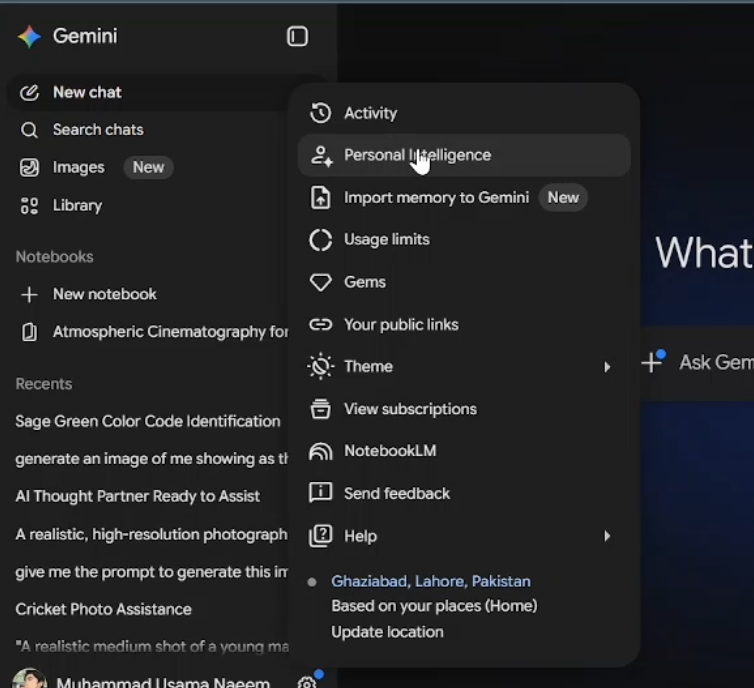
Step 2: Connect Your Canva Account
Inside Personal Intelligence, click on Connected Apps. Scroll down until you find Canva listed under the “Other” section. Click on it, then hit Allow. Gemini will ask you to grant permissions — click Continue, then Agree and Continue once more. Finally, select your account and click Allow.
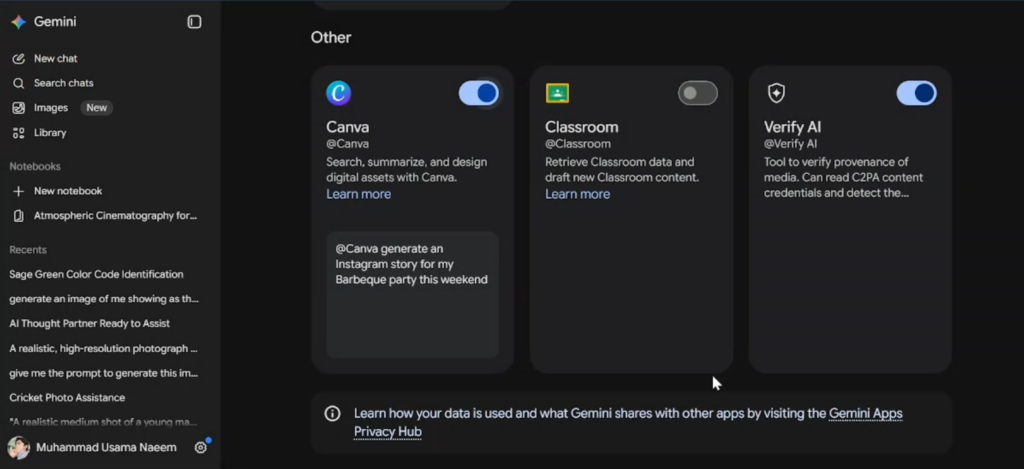
You should see an “Authorization Successful” message, which means your Canva account is now connected to Gemini.
Step 3: Create an Image in Gemini
Now let’s test the connection. Open a new chat in Gemini and select the Create Image option. Paste in your prompt and hit Submit. Give it a moment — Gemini will generate the image for you.
Step 4: Edit the Image in Canva
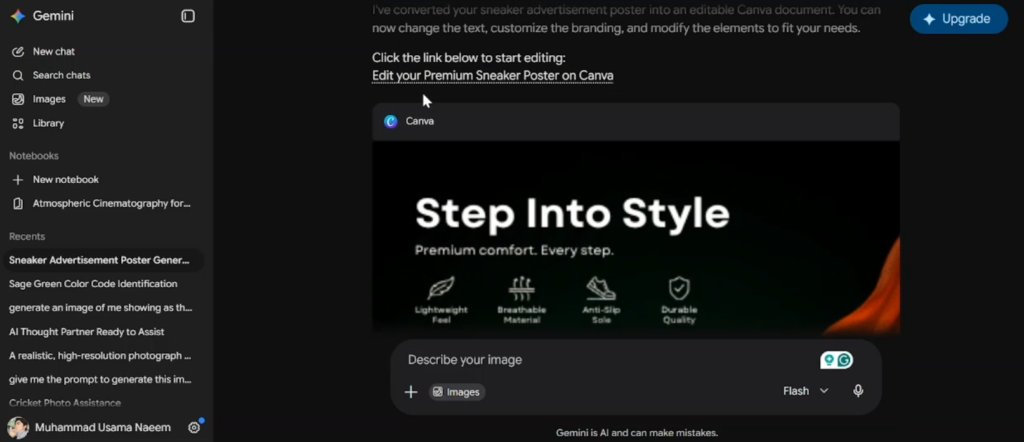
Once the image is ready, type “@Canva” in the chat and ask Gemini to make it editable. Gemini will connect to Canva and convert the image into an editable Canva format. This works on a free Gemini account — no paid plan required.
Also read: How to Change/Edit the Name of Your Facebook Page
When the process is complete, you’ll see a link that says something like “Edit your [design name] on Canva.” Click it, and your image will open directly in Canva’s editor.
Step 5: Customize It in Canva
Inside Canva, you have full control over the design. You can remove elements like watermarks, move objects around, replace text, swap images — basically anything you’d do in a normal Canva project.
Final Thoughts
Connecting Canva with Gemini is a great way to combine AI image generation with Canva’s powerful design tools. The best part? It’s completely free to set up. Give it a try and see how much faster your design workflow becomes.