
Most people don’t realize that Instagram keeps a record of every video you’ve ever watched on the app. Whether you’re curious about your viewing habits or just want to clear things out, Instagram actually makes it pretty easy. Here’s how to do it.
Get 20% discount on your hosting plan.
Step 1: Go to Your Profile
Open Instagram and tap the profile icon in the bottom right corner of the screen.
Step 2: Open the Menu
Once you’re on your profile, tap the three horizontal lines (also called the hamburger menu) in the top right corner.
Also read: How to Unlink Apps and Websites From Your Facebook Account.
Step 3: Navigate to Your Activity
From the menu, tap on Your Activity. This section gives you an overview of everything you’ve done on the platform.
Step 4: Find Your Watch History
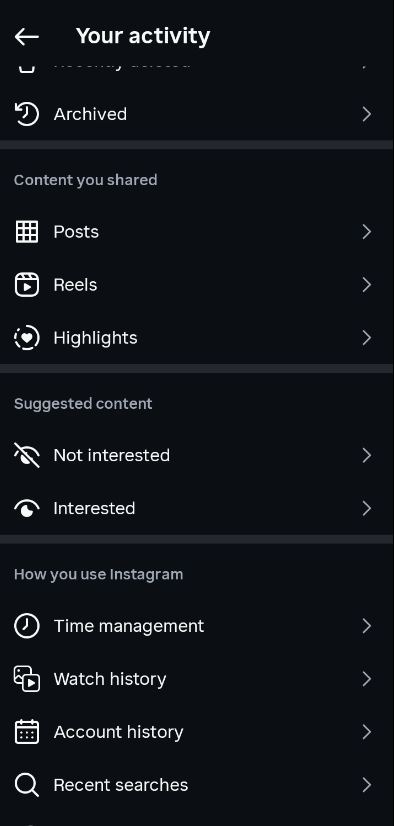
Scroll down within the Your Activity section until you see Watch History. Tap on it to open it.
You’ll now see a full list of all the videos you’ve watched on Instagram.
Step 5: Delete Videos from Your Watch History
If you want to remove any videos from the list, tap Select in the top right corner. You can then choose specific videos one by one, or tap Select All to grab everything at once. Once you’ve made your selection, tap Remove, then confirm by tapping Remove again.
Those videos will be permanently deleted from your watch history.

That’s It!
It’s a simple process, but a lot of Instagram users don’t know this feature even exists. Whether you want to audit your watch history or just keep things private, now you know exactly where to find it.