
Instagram keeps a complete record of every post you’ve liked and every comment you’ve left on the platform. If you’ve ever wanted to review or clean up that history of your Instagram likes and comments, it’s easier than you might think. Here’s a straightforward guide to help you do exactly that.
Get 20% discount on your hosting plan.
Step 1: Open the Menu
Tap the three horizontal lines in the top right corner of your Instagram profile page to open the side menu.
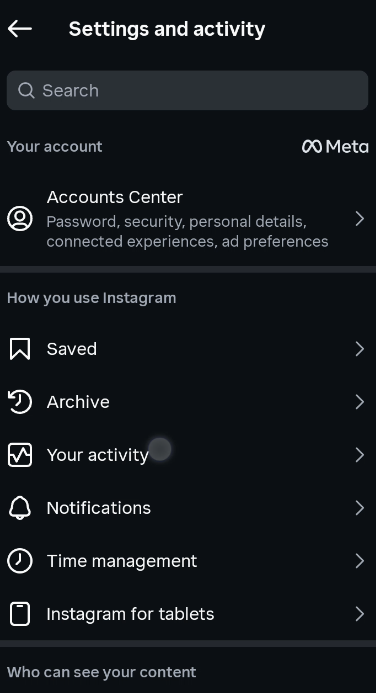
Step 2: Go to Your Activity
From the menu, tap on Your Activity. Inside, you’ll find an Interactions section that contains both your likes and comments.
Checking and Managing Your Likes
Tap on Likes to see a full list of every post you’ve liked in the past.
Also read: How to Check and Delete Your Instagram Watch History
If you want to unlike any of them, tap Select, then choose one or multiple posts. Once you’ve made your selection, tap Unlike, then confirm by tapping Unlike Post. Those posts will be removed from your liked history right away.

Checking and Managing Your Comments
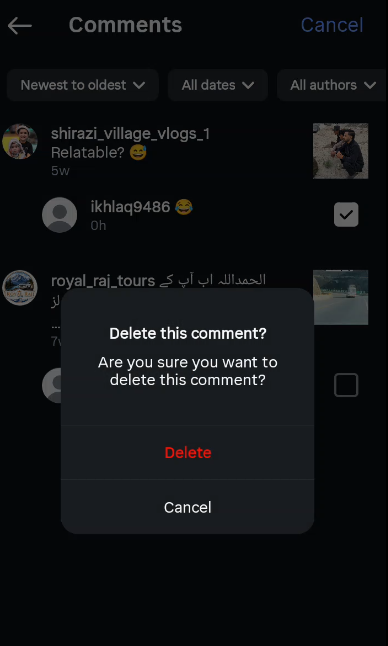
Head back to the Interactions section and tap on Comments. Here you’ll see every comment you’ve ever left on Instagram.
To delete a comment, tap Select, choose the comment you want to remove, and tap Delete. The comment will be removed from your history and from the original post as well.
Final Thoughts
These features are really handy if you want to clean up your Instagram activity or just stay on top of your engagement history. Instagram gives you full control over what you’ve liked and commented on, so don’t hesitate to use it.