
WhatsApp has just rolled out a feature that many users have been waiting for — usernames. Just like you have a username on Instagram, TikTok, or Twitter, you can now create and reserve a username on WhatsApp. Instead of sharing your phone number every time someone wants to connect with you, you can simply share your WhatsApp username and they’ll be able to find you directly.
It’s a smart move for privacy, and if you’re someone who regularly shares their contact details online — whether for freelancing, business, or content creation — this feature is a game changer. Let’s walk through exactly how to set it up.
Get 20% discount on your web hosting plan.
Step 1: Open WhatsApp and Find the Username Option
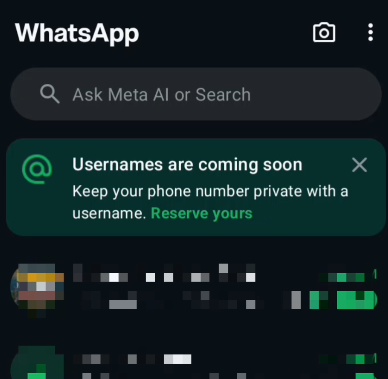
Once you open WhatsApp, you may already see a prompt at the top of the app that says something like “Usernames are coming soon — keep your phone number private with a username.” If you see it, tap on Reserve Yours to get started.
Step 2: Choose How to Create Your Username
After tapping Reserve Yours, you’ll be taken to a setup page. Here, WhatsApp gives you two options — you can either connect your Facebook or Instagram account to carry over your existing username from those platforms, or you can create a brand new username from scratch.
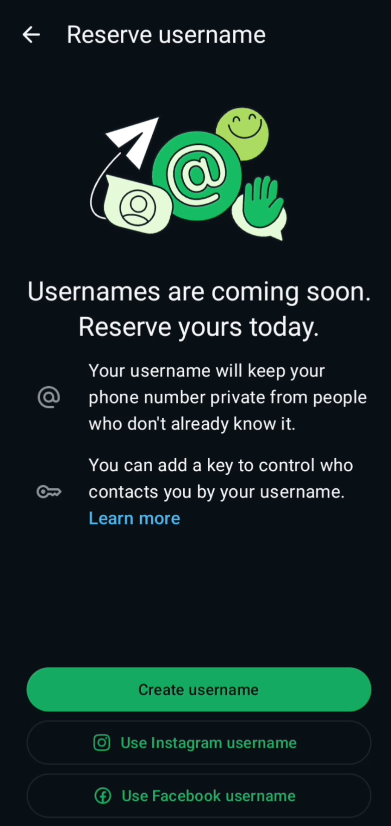
For this tutorial, we’re going the custom route. Tap on Create Username.
Step 3: Type and Check Your Username
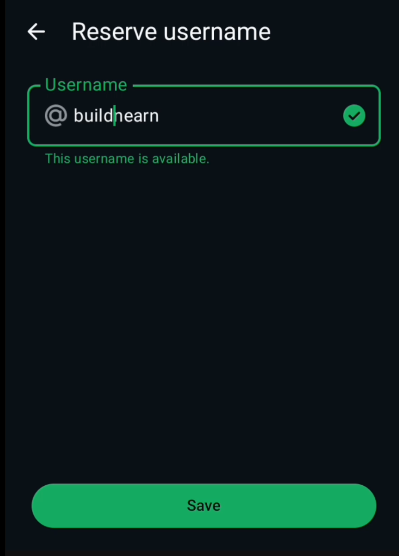
You’ll now see a text field where you can type your desired username. Keep in mind that WhatsApp will show you in real time whether your chosen username is available or not.
For example, if you type an incomplete username, it may show as unavailable — so make sure to type the full username you want. Also, avoid unnecessary characters like dashes or underscores if the username works fine without them, as those can sometimes cause availability issues. Once you find a username that’s available, you’re good to go.
Step 4: Save Your Username
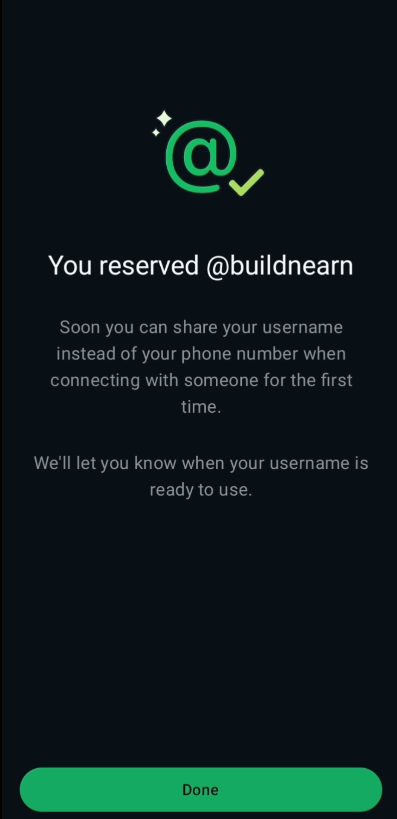
Once your username shows as available, tap Save. That’s it — your WhatsApp username is now reserved under your account. From this point on, you can share this username with anyone, and they’ll be able to find and message you on WhatsApp without ever needing your phone number.
Why This Feature Matters
For anyone who values their privacy online, this is a genuinely useful update. Whether you’re a freelancer, a content creator, or a business owner, sharing your phone number publicly always comes with some risk. A username keeps your number safe while still allowing people to reach you easily through WhatsApp.
Also read: How to Manage Your Instagram Activity: Likes, Comments, Watch History & Posts
Frequently Asked Questions (FAQs)
1. What is a WhatsApp username?
A WhatsApp username is a unique handle you can set on your account — similar to a username on Instagram or Twitter. It allows others to find and contact you on WhatsApp without you having to share your phone number.
2. Is the WhatsApp username feature available for everyone?
WhatsApp is rolling out this feature gradually. If you don’t see it yet in your app, make sure your WhatsApp is updated to the latest version and wait for it to appear on your account.
3. Can I connect my Instagram or Facebook username to WhatsApp?
Yes. During the username setup process, WhatsApp gives you the option to connect your Facebook or Instagram account and import your existing username from either platform.
4. Can I change my WhatsApp username after reserving it?
Yes, you should be able to update or change your username from your WhatsApp profile settings after it has been set. However, availability of the new username will depend on whether someone else has already taken it.
5. Will my phone number still be visible if I set a username?
Setting a username gives you the option to share it instead of your phone number. Your privacy settings within WhatsApp will ultimately determine who can see your phone number.
6. Is the WhatsApp username feature free?
Yes, setting a username on WhatsApp is completely free. There are no charges associated with reserving or using a username.
7. Can two people have the same WhatsApp username?
No. WhatsApp usernames are unique, just like on other platforms. If a username is already taken, you’ll need to choose a different one.
8. What characters are allowed in a WhatsApp username?
Based on current information, WhatsApp usernames support letters and numbers. Special characters like dashes may sometimes cause issues, so it’s best to keep your username simple and clean.